Frp google bypass - How To Discuss
Frp google bypass
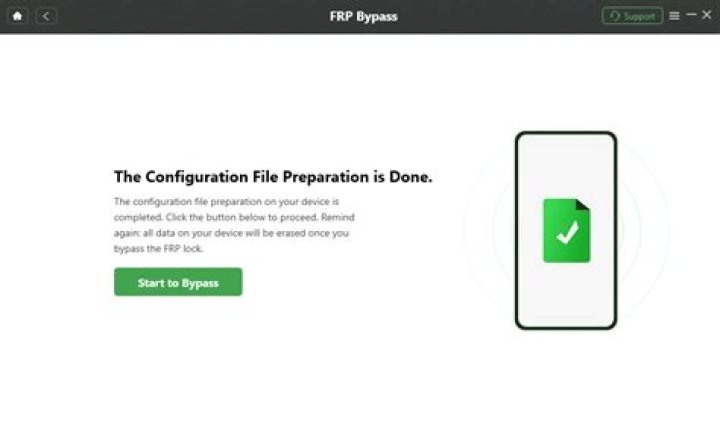
How to bypass Google FRP? 1) Free download Google FRP removal on Windows, then run Windows FRP bypass tool, two springs: remove Google lock and remove lock screen, select 2) Currently, EelPhone Google FRP removal only works for Samsung phones, other Android phones are waiting in the list and all data will be deleted after FRP is removed 3) Check your Samsung model information by clicking the "Start removal" button, read the removal warning: Locations Make sure your Samsung device has single sign-on 4) When you clicked "Start Erase", when you erase it, a notification will be sent to your Samsung device. Staying connected while streaming is very important. 5) A pop-up window will appear on the Samsung device after receiving the instructions. Click "View" to open the link in the browser, it will not open, click 6) After downloading and installing the apk, go to "UI Settings", follow the uninstall instructions to unlock the pin window feature. 7) When the new template is installed, reboot your Samsung. and unlock your Samsung phone with the new pattern you just installed.
How to disable FRP lock?
- On your device's home screen, tap Apps.
- Tap Settings > Accounts > Google > the name of your Google account synced to your device.
- Click on "More" in the top right corner.
- Click on "Delete Account" and confirm it. This should disable the FRP lock.
How do I bypass Google verification?
How to Bypass Google Account Verification Make sure to install a custom ROM with Persistent ADB enabled. Set up ADB and Fastboot on your PC. Turn on the device and leave it on the settings screen. Connect your device to the PC via USB and select "Yes" when prompted to allow USB debugging on the device.
What is FRP removal service?
Samsung Reactivation Lock/FRP Removal Service Factory Reset Security Lock (Google FRP) or Reactivation Lock is a security feature that locks your phone to prevent unauthorized access. To access the phone, you must enter the correct email address and password.
How can I bypass FRP?
- After downloading and installing iMyFone LockWiper (Android). Click Remove Google Lockdown Mode (FRP) and click Start.
- LockWiper automatically detects information about your device. If something is not right, you can change it here.
- Start the device by following the on-screen instructions.
How to bypass FRP?
- Configure the device and connect it to the network.
- On the FRP Tool screen, tap the "Settings" icon on your keyboard.
- From there, go to Menu Button > Help & Feedback Button.
- Then type the desired word before pressing Share.
- Then choose Messages > New Message > enter any number in the To section.
- Tap the Contacts icon.
How to bypass pattern lock?
- Connect your Android phone to your computer via USB.
- Open a command prompt or terminal window in the ADB installation folder on the computer.
- Type the command and press Enter: adb shell rm /data/
- Restart your Android device and you will see that the lock screen is temporarily gone.
- Set a new secure lock (pattern, PIN or password) before restarting your Android phone. Otherwise, your
 How to bypass FRP lock?
This is an online service specialized in FRP bypass. The service's website is easy to use. To bypass FRP with UnlockJunky, all you need to do is select your device model and lock type. Then you have to pay and wait for the UnlockJunky team to unlock your device. The site is easy to use.
How to bypass any Samsung Google account lock?
- Connect your mobile device to your computer and select Remove Google Lock (FRP): Select Remove Google
- After you click on Start, you need to enter the recovery mode. Just follow the instructions on the screen. Once the device
- Then you need to switch to download mode. Some instructions will appear on the interface, just follow them.
- Finally, this program extracts the associated file online.
 How can I remove the lock screen from my Samsung tablet?
How to unlock the screen on a Samsung Galaxy tablet. You use the screen lock window not only to lock your tablet, but also to remove existing locks. After opening the screen lock window, you can select "None" option to remove all screen locks. Select Slide to restore the original screen lock.
What is FRP unlock?
What is the FRP Unlocker app? FRP Unlocker is an application designed to bypass factory reset protection. So if your device has added a Google account and at some point during the initialization process your phone asked you to enter your Google credentials, then you don't need to.
 What is the FRP unlocker app?
- Download LockWiper (Android) and launch it on your PC.
- Select the Unlock mode Remove Google lock (FRP).
- Connect your device to your computer via a USB drive. Download the data package and firmware for your device.
- Follow the onscreen instructions to unlock your Google account.
- It's so easy! The Google account lock is now removed from your device.
How to remove frp board from wall
The embossed surface of fiberglass panels is best cleaned with a sponge or soft brush. Apply the cleaner and spread it over the entire surface with circular or rubbing movements. Rinse well to remove all traces of trisodium phosphate, otherwise a film will form and the wall will look dull and dirty. Click here to see the full answer.
 How do you cut FRP?
Place the sharp edge of the tool against the cut edge of the fiberglass, tilt the blade at a 15-degree angle and run the blade over the cut to remove any burrs left over from the cutting process. Do not move the blade along the cut as this will damage the fiberglass panel.
What is tool for cutting FRP panels?
- Multi-speed oscillating power tool. The clippers are light and powerful and easily cut through hard glass fibers, such as those used in panelling.
- Puzzle. Just use a jigsaw to cut the fiberglass panels BUT you use a utility knife to cut.
- A circular saw. Usually a circular saw with a rounded edge is used.
- Hacksaw.
- Router.
 Can FRP panels be used in a shower?
GRP panels are moisture-tight when mounted vertically on the wall, allowing Exceliner to be used as a bathtub liner. There will be seams because the panel is basically 48 inches wide. Install the seal on the other end of the faucet or shower head. Seal all joints with silicone caulk, leaving room for expansion at joints.
How do you cut fiberglass sheets?
Cut the fiberglass sheet with a carbide-tipped circular saw, a jigsaw with a hacksaw, or a fine-toothed hand saw.
What is Google FRP lock?
FRP Lock is the most secure lock developed by Google, FRP Lock is an activation lock to protect Android devices from unauthorized use by unknown people.
How to bypass Google Account verification FRP?
- When you see the FRP page that asks you to enter the Google account previously synced to your phone, press and hold @ on your keyboard until it appears
- In the pop-up window, click on "Google Keyboard Settings".
- Click the three dots in the top right corner and select Help & Feedback.
- Then go to the phone settings app.
 How to remove frp on a21 straight talk
Click Remove Google Lockdown Mode (FRP) and click Start. Connect your device with a USB cable.
Step 2 : LockWiper automatically detects information about your device.
 How to bypass Samsung FRP lock without PC?
Okay, FRP lock, no problem, if you read their method carefully, you can bypass Samsung FRP lock with no PC and no cost. Check out the Samsung Google account lockout solution below.
Step 1 : First turn on your Samsung phone and select a language.
Step 2 : Now turn on Wi-Fi and connect to a Wi-Fi network.
 How to verify Google account in Samsung Galaxy A21 bypass FRP?
Samsung Galaxy A21 FRP Google Account Authentication Bypass Please activate the device first. Connect it to WIFI internet connection. Now take a screenshot by pressing and holding the Volume Up + Power button for a second.
 How to remove Google FRP lock from phone?
You can get help to remove Google FRP lock on any phone from the phone manufacturer. You just need to go to any of their services or outlets and ask for help. It would be much easier for you to get that help if you showed up at the store with a receipt and warranty card.
What is FRP (factory reset protection)?
Frp (Factory Reset Protection) is a protection from Google that is activated on Android smartphones when users reboot or reset their device. FRP protection is enabled only if the user has logged into their Google account (Gmail) on their phone before rebooting or flashing.
 How do you turn off Activation Lock?
Open the Settings app on your iPhone and go to the iCloud section. Scroll down until you see the Find My iPhone button and turn it off. If you disable it, iOS will ask for your iCloud password. After you sign in, click on Disable and you should have turned off Find My iPhone and Activation Lock.
How do I Turn Off the shift lock?
Press S for settings. The StickyKeys settings window opens and you have the following options: Press U to check the Use shortcut box. Allows you to toggle Sticky Keys on or off by pressing Shift five times. Press P to check the box. Press the modifier key twice to lock.
 Is there any way I can remove FRP lock?
- Then go to the "Device Activity and Notifications" section. You can see this in the Login & Security section.
- Go to the Recent Devices section and click Check devices.
- Select an already locked device. After that, click on the button labeled Delete and Disable FRP. Confirm if prompted.
How do I Turn Off FRP lock on Android?
Step 1 : On your device's home screen, click Apps.
Step 2 : Tap Settings > Accounts > Google > Your Google account name is synced with your device.
Step 3 : Click "More" in the top right corner.
Step 4 : Click on "Delete account" and confirm the action. This should disable the FRP lock.
How to bypass LG FRP bypass?
Step 1 A: First of all, you need to know how to download LG frp bypass tool. To do this, you can follow this link to control and download the Google LG account removal tool.
Step 2 : After downloading the software, browse to the location and extract the files to a new folder.
 How to bypass FRP protection on Android devices?
If it is your own device that you want to use after FRP protection, you need to bypass ADB FRP. Basically, it involves using the ADB tool to unlock your Android device.
 Can I disable FRP lock if I buy a secondhand device?
If you buy a used device with the original owner's Google ID, it will be stuck in "Verify Account" and you won't be able to use another Google ID until the FRP lock is turned off. If you forget your Google ID password, resetting your device becomes a hassle. This article explains how to disable FRP lock.
 How do you unlock Google?
To unlock a domain: Go to If you're not in the Google Domains console, click Manage domains in the top right corner. Click on the domain you want to unlock and scroll down to the "Domain Lock" section. Click Unlock Domain.
How do I bypass an admin password?
After you sign in, click Start. (You do not need to be logged in as an administrator to complete these steps.) Then select Control Panel, Administrative Tools, Local Security Settings, and finally Minimum Password Length. In this dialog, reduce the password length to 0. Save these changes.
How do I remove Google smart lock?
Disable Smart Lock in Chrome.
Step 1 Note: In Chrome, go to browser settings by clicking the three-dot menu in the top right corner.
Step 2 : Scroll down to "Passwords and Forms" and click on "Manage Passwords".
How do I Reset my Google password?
To reset a user's password, follow these steps: Sign in to the Google Admin console. On the main page of the administration console, go to the Users section. Find the user in the list of users. Hover over the user whose password you want to reset and click Reset Password on the right. Click Reset Password. Choose whether you want the password to be generated automatically or enter a password.
How to bypass Google verification screen on LG phones?
After running this LG Google account bypass tool, the Google verification screen will not appear when you restart your phone. The best part is that the LG Google Account Bypass Tool can be downloaded when the phone is turned off and put into download mode by simply connecting the device to the PC and browsing the LG Google Account Bypass Tool online.
How to bypass Google account FRP LG devices?
There are several ways to safely bypass Google FRP account from LG devices. One way to bypass Google account FRP from LG devices is to download Google account bypass APK file on LG phone. There are several ways to safely bypass Google FRP account from LG devices. One way to bypass Google account FRP from LG devices is to download Google account bypass APK file on LG phone.
 Why is my LG device asking for Google Account verification?
If you have an LG device that you factory reset only to find that the device is asking for your Google account verification, you should skip the verification process if you don't know the password.
How to bypass Google account APK in LG phone?
Go back to the Accessibility section, click Vision, then Talkback. Scroll down to "Settings" and select "Privacy Policy" at the bottom of the settings menu. Download the browser APK file that will help you bypass the Google account APK file on LG phone.
 How to bypass factory reset protection?
- Choose a suitable FRP bypass app, such as FRP Bypass APK, Pangu FRP Bypass APK. Some cannot be used for free.
- Download the bypass tool to a USB flash drive.
- Connect the USB drive to your phone with an OTG cable. Then install the APK.
 How to disable Google factory reset protection?
- On the home screen, tap Apps .
- Click on "Settings".
- In the "Settings" section, click "Accounts".
- Tap Google.
- Tap your Google account name.
- Tap More.
- Tap Delete. The FRP has now been removed.
How to bypass Google account?
Go to Settings > Backup & reset > Factory settings and tap Reset phone. Click Reset all. Wait for your phone to reboot and go through the installation process. DO NOT CONNECT to a WiFi network. Then click "Next" until the installation is complete. Phone Your phone will no longer ask you for a Google account.
How to bypass Google account on Samsung?
- Step 1 A: Factory reset your Samsung phone and reboot your device.
- Step 2 : Then select a language and connect to a Wi-Fi network.
- Step 3 : You will now be prompted to enter your Google account information.
- Step 4 : A virtual keyboard will appear on the screen and you need to long press @ to get it
 How to FRP Samsung?
- Select Use Google keyboard.
- Long press the highlighted text and tap search the web.
- Delete the text that appears in the search box that appears.
- Replace the deleted text with the settings.
How do you bypass Google account lock?
6 answers. Perform a factory reset (press Volume Down until Wipe Data/Factory Reset is selected, press Power, scroll down to Yes, clear all user data, then press Power again). Follow the device setup wizard until you are prompted to enter your Google account information.
 How to bypass Google activation?
- Remove Google activation lock from your phone through your phone settings. This section does not describe how to bypass the activation lock.
- Remove Google activation lock online from your device.
- Other Ways to Bypass Google Activation Lock.
- to finish
How to bypass Google verification on LG phones?
Part 1: Bypassing Google Authentication on LG with a Bypass Tool
Step 1 : Turn off the device and put it into download mode. If the device is turned on, turn it off and restart it.
How to bypass Google account on Android phones?
Press and hold the volume up button while connecting the other end of the phone's USB cable to the PC. "Download mode" appears on the phone screen. Download Google Account Bypass Tool developed by Tunglick on PC and extract the tool.
How to fix LG accessibility not working?
Step 1 - Reboot your LG device by going to "Recovery Mode". To enter "Recovery Mode", use the Volume Up, Volume Down, and Power buttons.
Step 2 : Turn on the device and follow the installation wizard. On your phone's home screen, tap Accessibility to open the Accessibility menu.
Step 3 : Tap Change sharing and turn it on.
How to reset LG phones?
Step 1 - Reboot your LG device first by going to "Recovery Mode". To enter "Recovery Mode", use the Volume Up, Volume Down, and Power buttons.
Step 2 A: After getting the device out of recovery mode, turn on the device and follow the setup wizard.
What is Google FRP?
Data Protection or Factory Reset Protection (FRP) is a security feature on Android devices running Lollipop and above. FRP is automatically activated when you set up a Google™ account on your device.
 What is frp removal service free
Pangu is a free way to bypass Google account and remove FRP lock. This works for Lollipop, Marshmallow, Nougat, and Oreo. The tool can be used for all Android phone brands such as Samsung, Motorola, Micromax and SPD.
 What is frp removal service in california
Bypass FRP helps bypass the device's security feature so that you can easily bypass the Google account verification process. According to user reviews, FRP Bypass APK has asterisks. Developer: FRP Bypass Team
 What does FRP mean on a phone?
For those who don't know, FRP stands for Factory Reset Protection. Before you follow the steps, you need to understand them a bit. In a nutshell, Factory Reset Protection protects against resetting your phone to factory settings.
Can I Sell my Device without removing the FRP lock?
However, sometimes FRP locking is a hassle when it comes to selling or buying a device. This means you will need to factory reset your device before selling it which will require a factory reset. This is not possible without removing the plastic lock. How to unlock the device?
What is the factory reset protection (FRP)?
Made with Sketch. If your Android device is running Android or higher, it has a security feature known as Factory Reset Protection (FRP). If you're trying to reset your device, you'll need to use your Google account and password on your device to complete the reset process.
 How long does it take to unlock a FRP device?
Reliable FRP unlock team. The average unlock time is only 5 minutes. Open Mondays from 7am to 5pm. m. to 4 p.m. m. California Time (PST) 1). Select Brand/Manufacturer: Trademark Motorola Samsung ZTE
What is frp removal service in south africa
Instructions: Open the Samsung FRP Tool software and click the Unlock tab. On the Controls tab, select reset frp. Click Format FRP/Reset Settings. Press and hold the volume up and power buttons. Then release the power button. This tool is one of the best and easiest tools to delete an account on Samsung smartphone.
 What is FRP and how does it work?
The first FRP is something similar to the Apple iPhone iCloud Locked iPhone. Therefore, you need to delete the Gmail or Google account from the stolen Android phone, so that hackers cannot use the data in the account, almost any information you store on the phone.
 How do I uninstall FRP?
Run the following command line to remove FRP: On 32-bit systems, type: msiexec /x On 64-bit systems, type: msiexec /x When prompted to confirm the removal of the product, click Yes. If you are prompted to reboot the system, click No.
Why do I need FRP removable media?
One of the main reasons to use FRP removable media is to use the file viewing application on the USB stick. This provision eliminates the need to install FRP removable media on each computer for authentication and access to data in the FRP removable media container.
What is frp removal service cost
With an easy login FRP removal tool, you can easily remove your previously synced Google account from your Samsung Android phone. Remove FRP for only $25, they support the latest security updates from Samsung.
What is included in the cost of FRP wall panel work?
Includes fee for equipment and consumables for site preparation, finishing, and clean-up. Excluding sales tax, any applicable fees, ■■■■■■■ expenses, and repair or restoration costs not mentioned in the job description. Get an instant vendor-independent estimate of FRP wall panel options and costs in your zip code.
 What is frp removal service in home
2 Samsung Reactivation Service/FRP Lock Release This is an online tool that requires you to provide your device model and IMEI number. After you make a payment, it will take a few days for the online service to bypass the FRP lock.
What is the FRP unlock service?
This is the official FRP unlock service. If you can place an order, please enter your IMEI number on the form. A referral tool with detailed instructions can be emailed to you. You can remove the lock in two clicks.
How can I remove FRP from my mobile device?
You need to send them the IMEI code and select the model of your mobile device, eg B. Samsung. The next step is to pay. They will prepare the software specifically for your IMEI code and email it to you within hours with detailed instructions. You do not need to have excellent computer skills to use the FRP removal tool.
What is frp removal service in jamaica
Latest FRP Lock Remover Software to Bypass FRP on Android Samsung 2020 FRP (Factory Reset Protection) released by Google is a new method of data protection on Android smartphones.
 How to remove FRP lock from Samsung reactivation/FRP lock?
Tool 1: Remove Samsung Reactivation Service / FRP Lock. Samsung Unlock/Reactivate FRP Service can solve your FRP problem through online service. Enter your phone information to receive a unique user ID and password within 2472 hours. It provides an online service without confusing video tutorials and risky software to download.
 How to remove the FRP lock on a Windows PC?
Install the tool on your Windows PC, connect it to a USB cable and remove the FRP lock permanently. Completed process. Congratulations. Remark. This tool only removes the FRP lock.
How to unlock FRP using FRP ■■■■■■■■ tool?
Download Samsung USB drivers to communicate with the Frp ■■■■■■■■ tool. Steps to unlock frp with Haggard frp ■■■■■■■■. Download and install Samsung USB drivers on your computer. Download and install the Microsoft Net Framework on your computer. Download Hagard FRP ■■■■■■■■ and install it on your computer. Now restart your computer.
How to bypass Google verification?
- Once restored, turn on your phone, select your preferred language and connect to a Wi-Fi network.
- Keep coming back and instead of typing anything, tap the Settings icon (gear).
- After launching HTC Sense input settings, go to your personal dictionary.
- In the sharing options, long press the Gmail icon and navigate to the app info.
 How do I download Google APK?
Go to Google Play Store and find the app whose APK you want to download on your PC. When the app description page opens, click the "Install" button and you will be given the option to "Download APK". Click here to download the APK file.
 Are APK files safe?
This is very important when it comes to APK files. This is because SHA is considered a fingerprint on any file. By checking the SHA, you can determine if the fingerprint of the app matches the APK file. If they don't match, the APK file is not safe.
Is it possible to bypass Google account?
To bypass Google account, remove or bypass FRP lock, it's better if you follow these steps:
Step 01 Connect the device you use to sign in to your Google account to a specific Wi-Fi network.
Step 02 Go to the main screen of the device.
Step 03 Tap Availability.
How to bypass FRP Google account lock on Samsung Galaxy A21?
You have successfully bypassed the Google account FRP lock on your Samsung Galaxy A21 using the dialer app. Connect your Samsung Galaxy A21 to your Wi-Fi network and return to the home screen. Download and Launch SAMSUNG FRP TOOL 2020
 How to easily install bypass FRP on Samsung Galaxy M12?
Click "FRP Bypass" and wait for the driver to be installed. A simple firmware page has opened on your Samsung Galaxy M12 and click View Accounts & Backup >> Smart Switch >> Download >> Continue. Wait for the download to complete. With your device open, go to Settings >> Accounts & Backup >> Accounts.
 How to fix Samsung Galaxy A21 won’t connect to WiFi?
Download SAMSUNG FRP TOOL 2020, then run Click Disable Driver Signatures and restart your computer. Restart it and connect your Samsung Galaxy A21 to the WiFi network. Click "FRP Bypass" and wait for the driver to be installed.
How to transfer Gmail account from FRP Samsung M12 to Samsung A21?
Connect the FRP Samsung A21 phone to access the device through the OTG cable. Allow >> Allow. Checkbox 4 selected >> Forward >> COPY. Sign in to your Samsung FRP, M12 phone with the same Gmail account you use to sign in to the opened device and wait for the copying process to finish. The Gmail account will be added to your Samsung A21 device.
 How to bypass Google verification on LG?
- Turn off your device and put it into download mode. If the device is on, turn it off and then put it into download mode. connect device
- Download the tool and extract it to your PC. Download Google Account Bypass Tool developed by Tunglick on PC and extract the tool.
- Select a device. Now on the screen above, select the LG device you are using from the list following the instructions given.
What is LG Support Tool?
LG Mobile Support Tool for PC is one of the things you need to install if you want to do a firmware update on your mobile phone. The service acts as a gateway for LG mobile phone user guides, depending on the model, and provides access to data and media synchronization, PC synchronization and drivers for your mobile phone.
What is LG tool?
LG Power Tools is software developed by CyberLink. The most common version accounts for more than 98% of all installations currently using this version. A scheduled task is added to the Windows Task Scheduler to run the program at different scheduled times (the schedule varies by version).
How to enable bypass FRP on Samsung Galaxy S21 ultra?
Click "Android Tools" Click and select "Bypass FRP". Samfirm tools page is open on your Samsung Samsung S21 Ultra device, then click VIEW. An internet browser will automatically open on your Samsung S21 Ultra.
How to FRP bypass Samsung Galaxy A72 mobile phone?
How to Bypass Samsung S21 FRP 1 Connect your Samsung Galaxy A72 to Wi-Fi and return to the home page. 2 Download SamFirm FRP tool and run it as administrator.
How to transfer data from FRP Samsung Galaxy A72 to S21 ultra?
On a Samsung Galaxy A72 FRP >> Allow >> Receive data >> Galaxy/Android >> Cable. Connect your Samsung S21 Ultra FRP phone to access the device via OTG cable. Allow >> Allow. Checkbox 4 selected >> Forward >> COPY. Log in to the Samsung A72 FRP phone with the same Gmail account as on the opened device and wait for the copy to finish.
 How to open internet browser on Samsung Galaxy S21 ultra?
Reconnect your Samsung S21 Ultra to your computer. Samfirm tools page is open on your Samsung Samsung S21 Ultra device, then click VIEW. An internet browser will automatically open on your Samsung S21 Ultra.


